Image to Image AI Generator
Upload a photo and edit it with an AI prompt. Change the background, restyle your image, keep the same face or product, or combine image references.
Image to image AI examples: upload a photo and generate a new version
Use an existing image as the starting point when you want an AI image generator that starts from an uploaded image, not a random text-to-image result. Change a portrait, product photo, room, sketch, or pet image while keeping the details that matter.
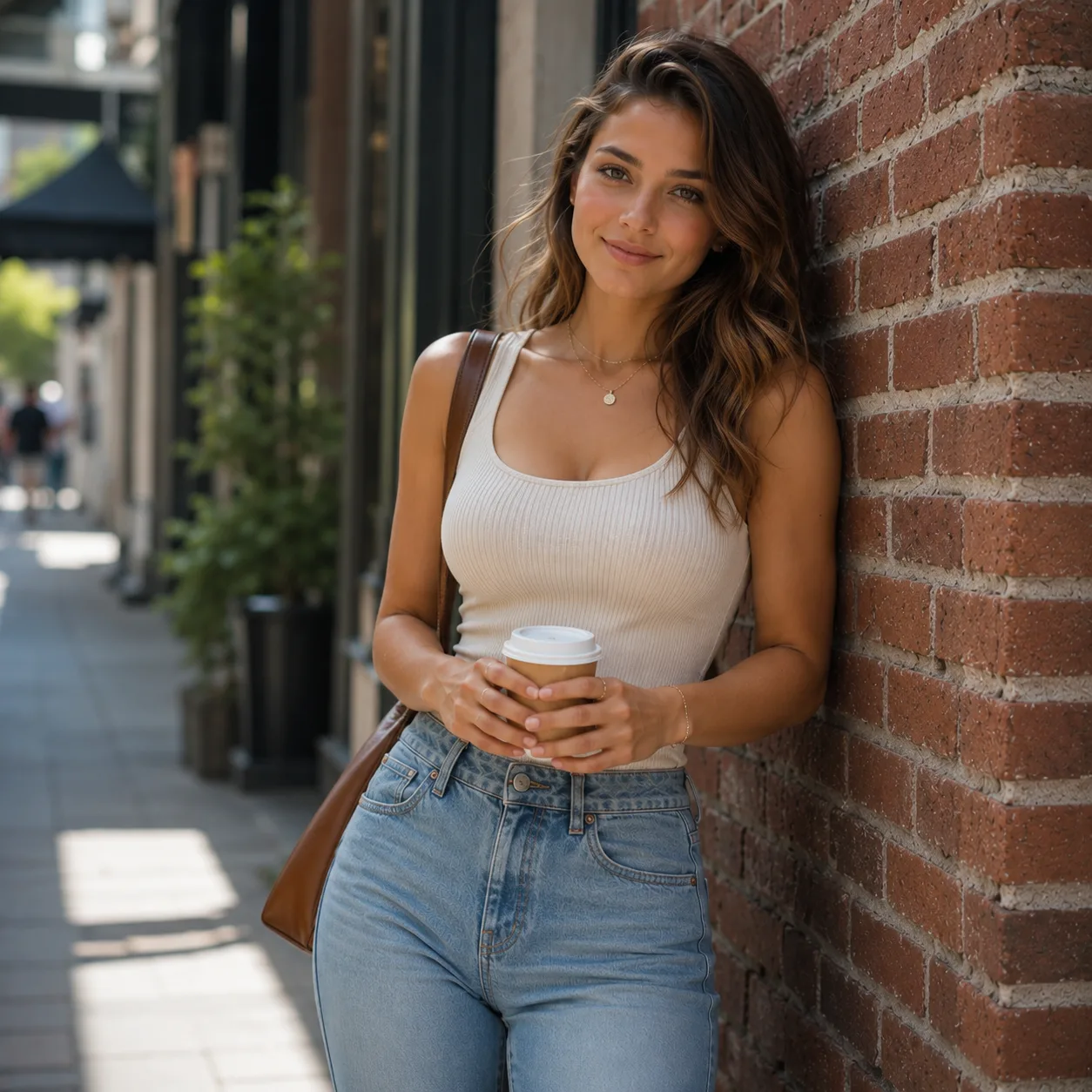
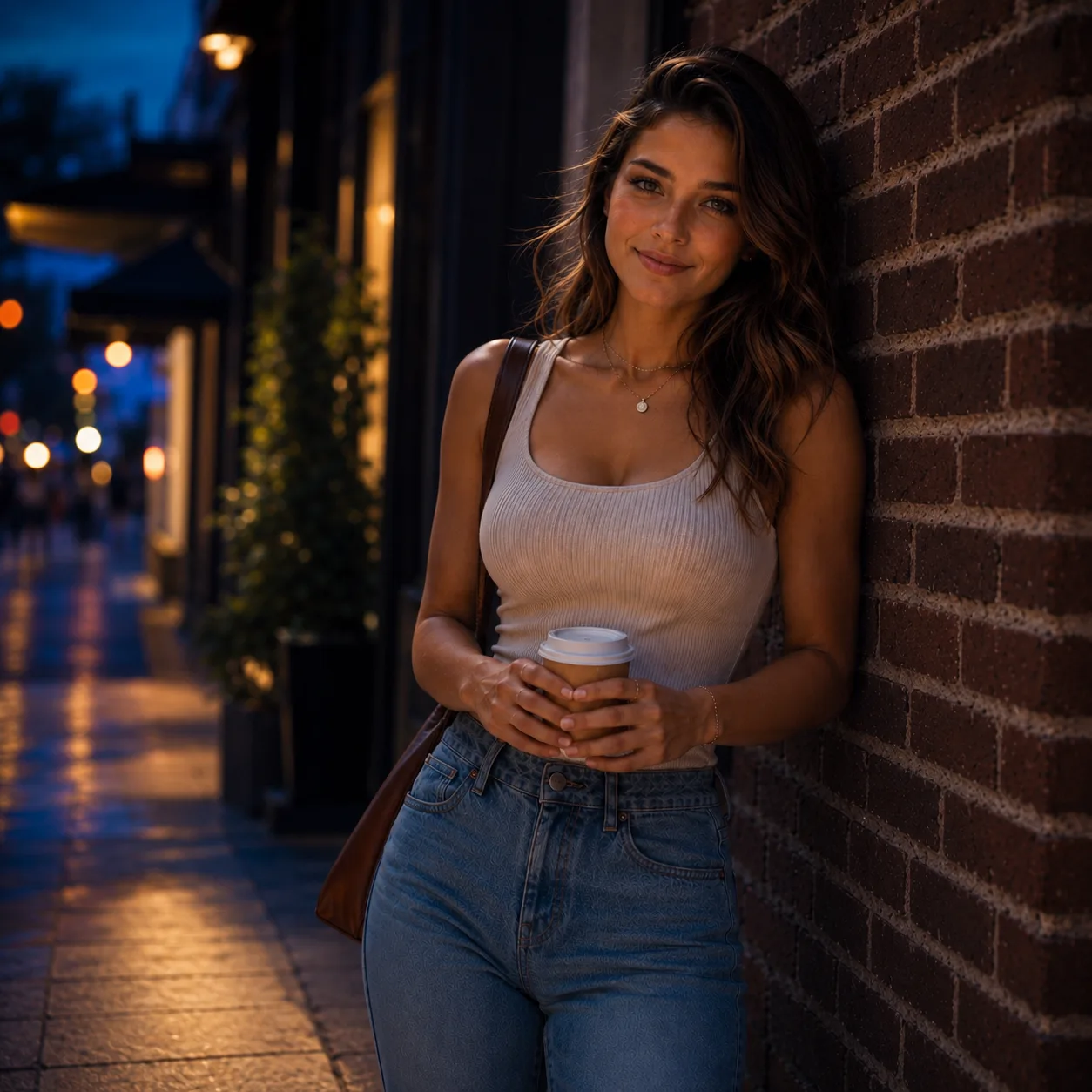
Create a New Portrait from Your Photo and Keep the Same Face
Upload a portrait and generate a new profile photo, headshot, or social image while keeping the same face, pose, outfit, and framing.
Profile photos, headshots, creator portraits, social posts
"Turn this portrait into a realistic night street photo with warm city lights. Keep the same face, hair, pose, outfit, coffee cup, bag, and framing."
Same face, hair, pose, outfit, coffee cup, bag, and framing
- Portrait variation
- Same face
- New background
Edit a Product Photo into a Lifestyle Product Ad
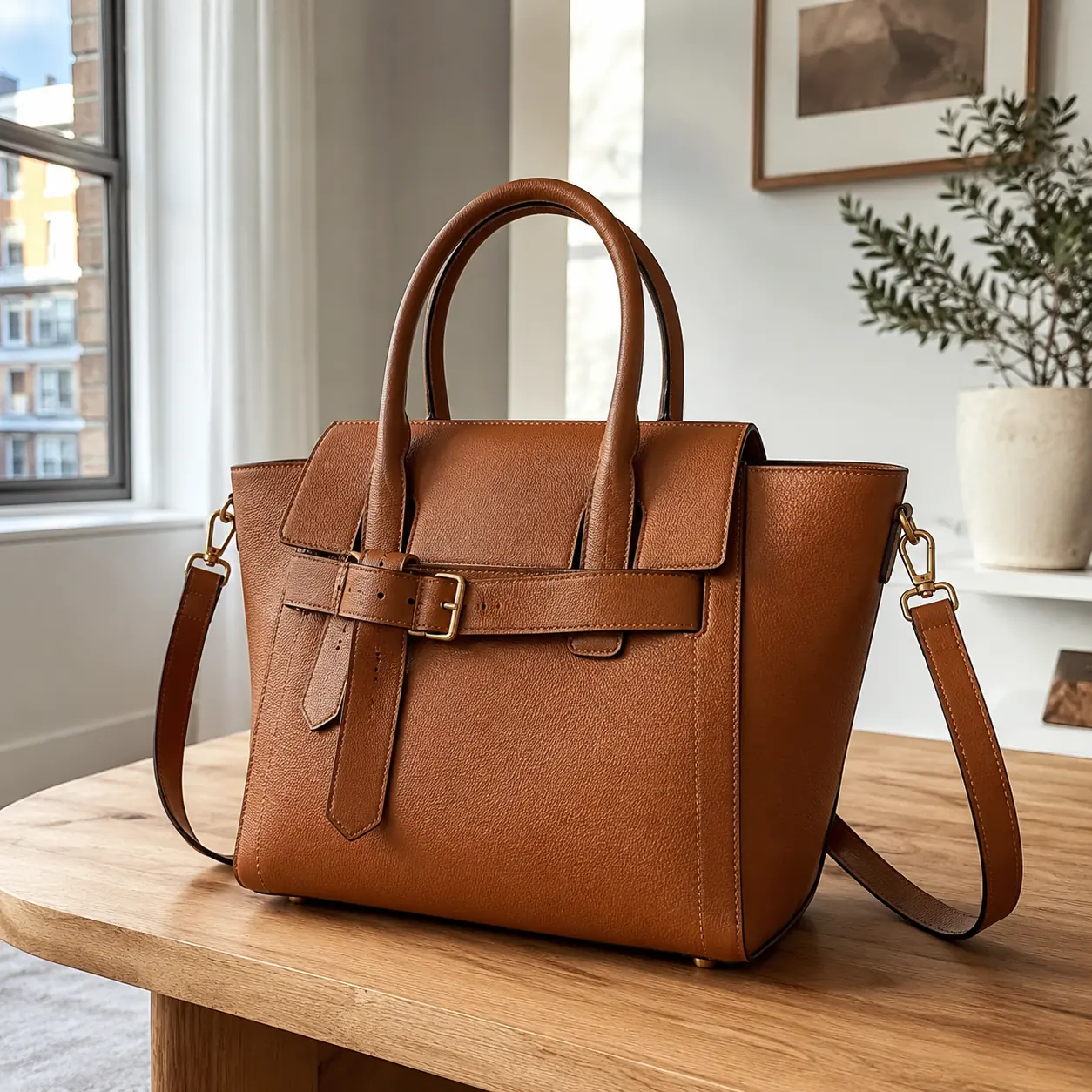
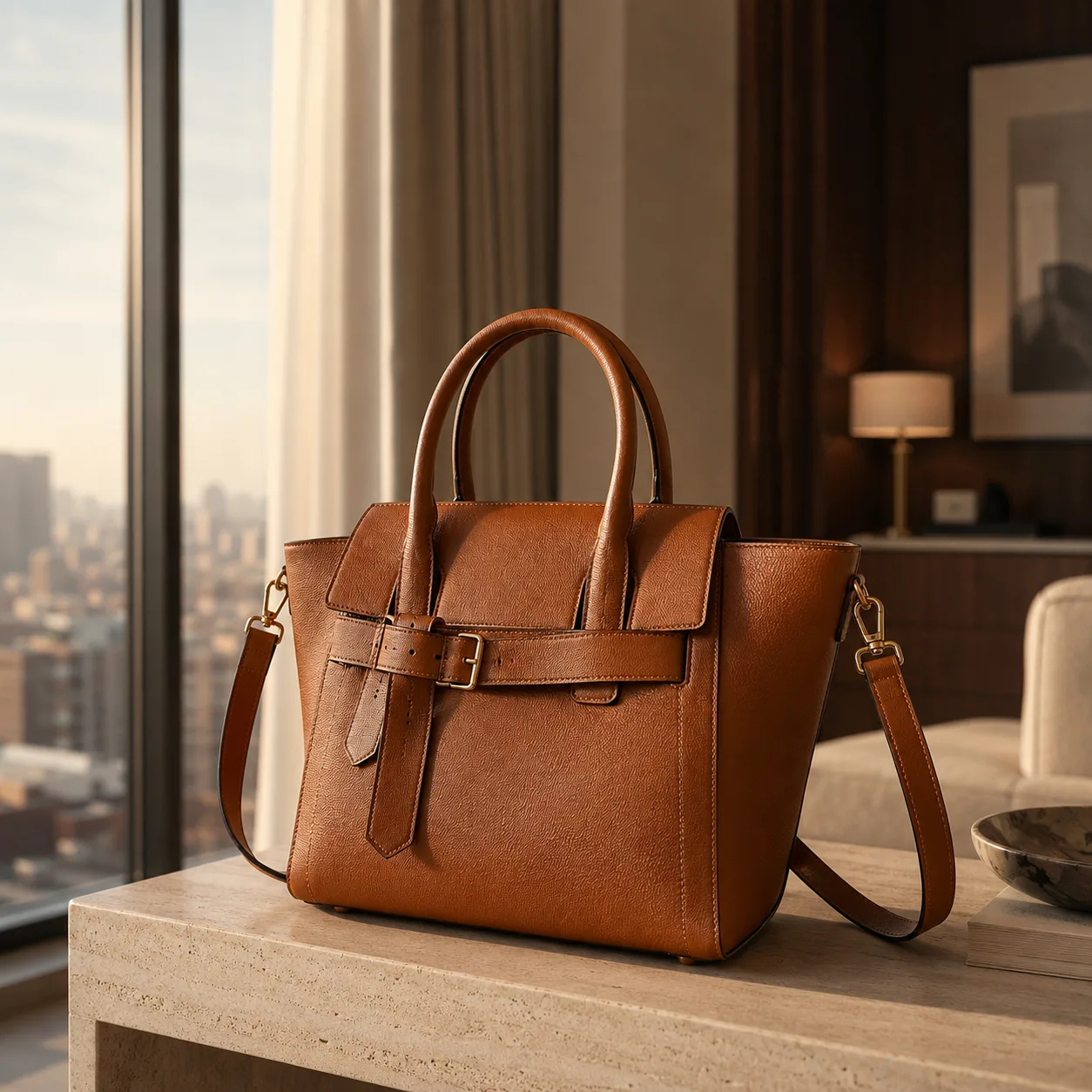
Upload a product photo and create a lifestyle product image for ads, listings, or social posts while keeping the same product, color, shape, and details.
Product photos, ecommerce listings, product ads, social creatives
"Turn this handbag product photo into a lifestyle product ad in a bright hotel room. Keep the same bag shape, color, handles, straps, hardware, and proportions."
Bag design, color, handles, straps, hardware, and proportions
- Product photo edit
- Lifestyle product image
- Same product details
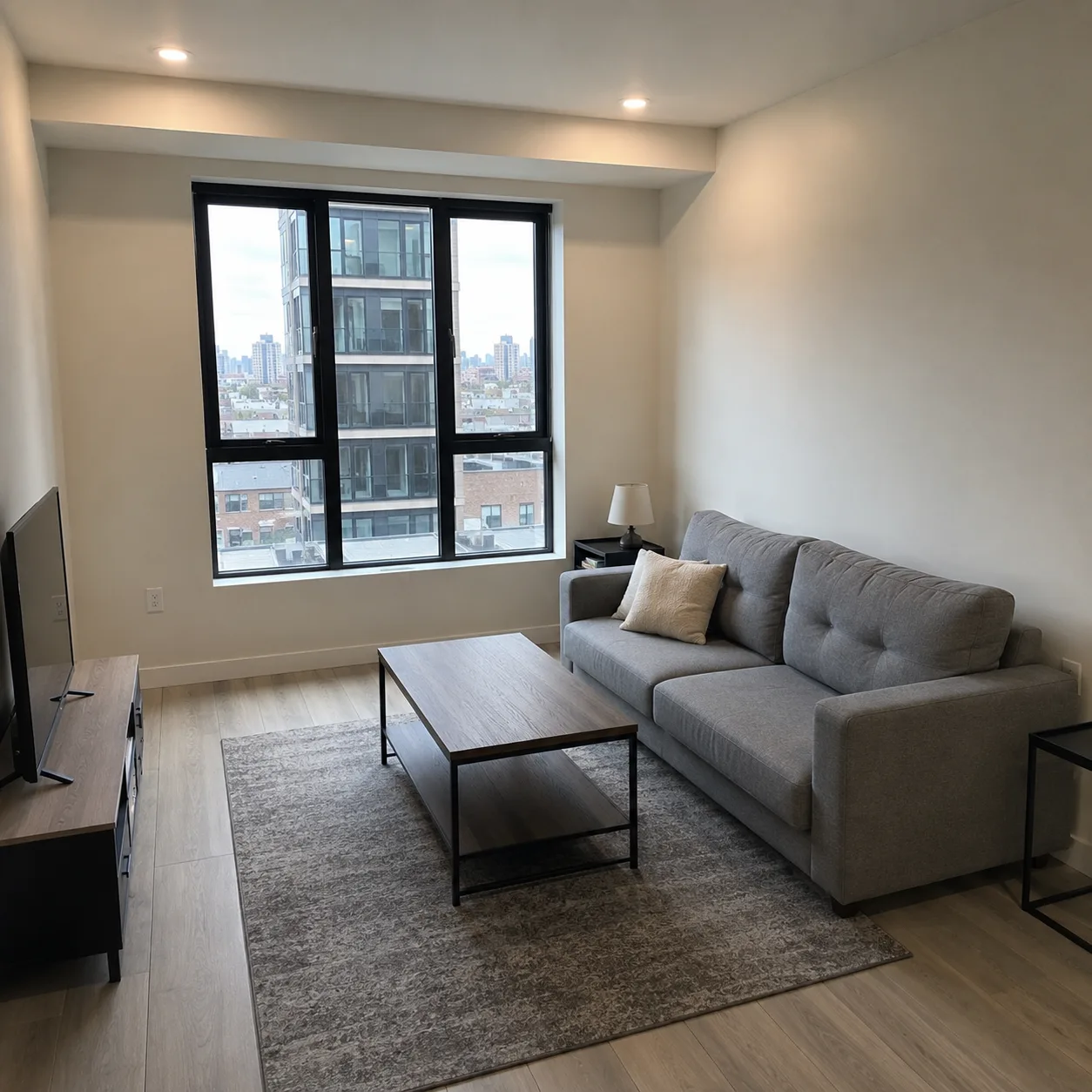
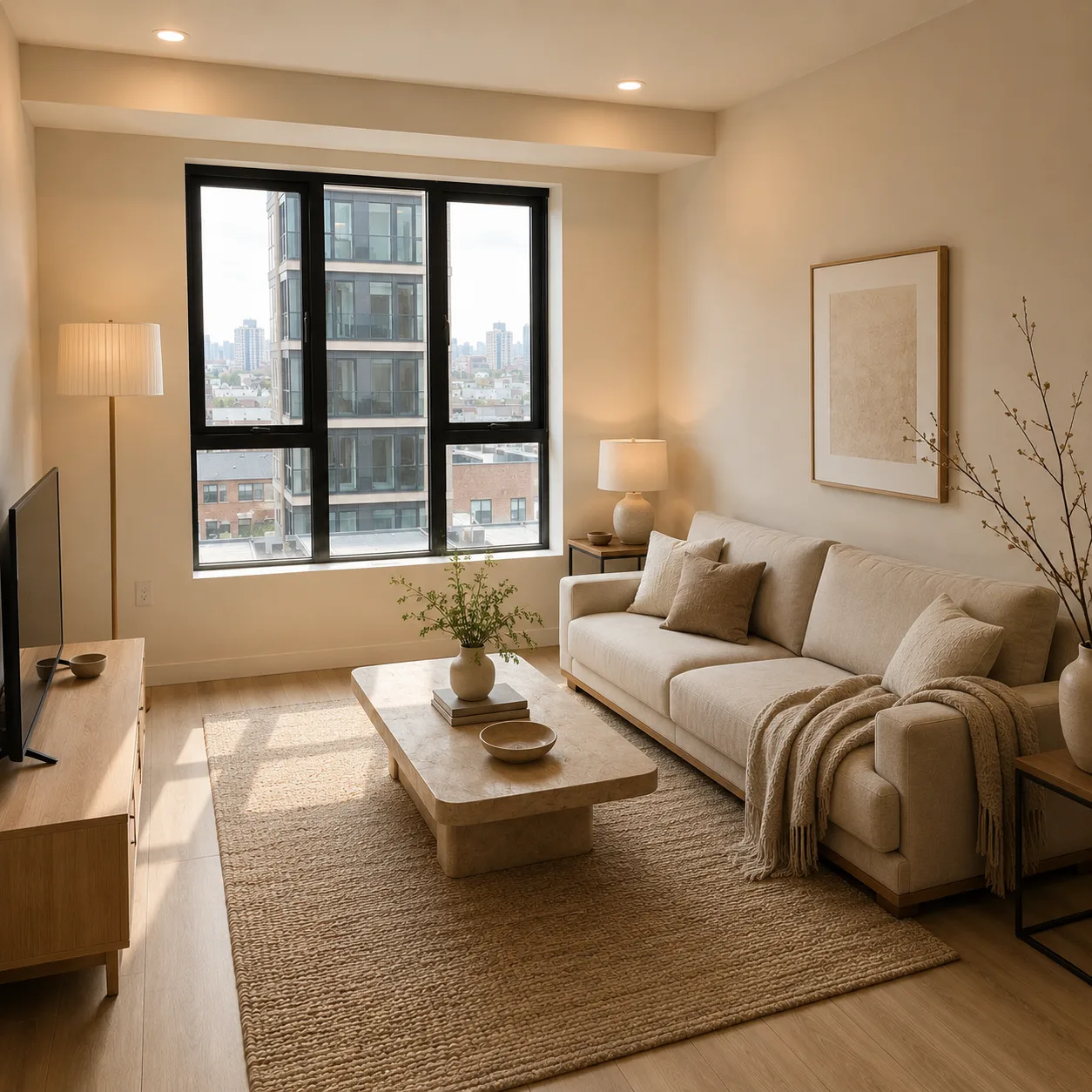
Redesign a Room from a Photo
Upload a room photo and preview a new interior design style before redecorating, while keeping the same room layout, window, walls, and camera angle.
Room redesign, interior design ideas, renovation previews, layout tests
"Redesign this living room photo into a warm modern interior. Keep the same room layout, window, walls, floor plan, and camera perspective."
Same room structure, window, layout, and perspective
- AI room redesign
- Interior design idea
- Same room layout
Turn a Sketch into a Realistic Product Image
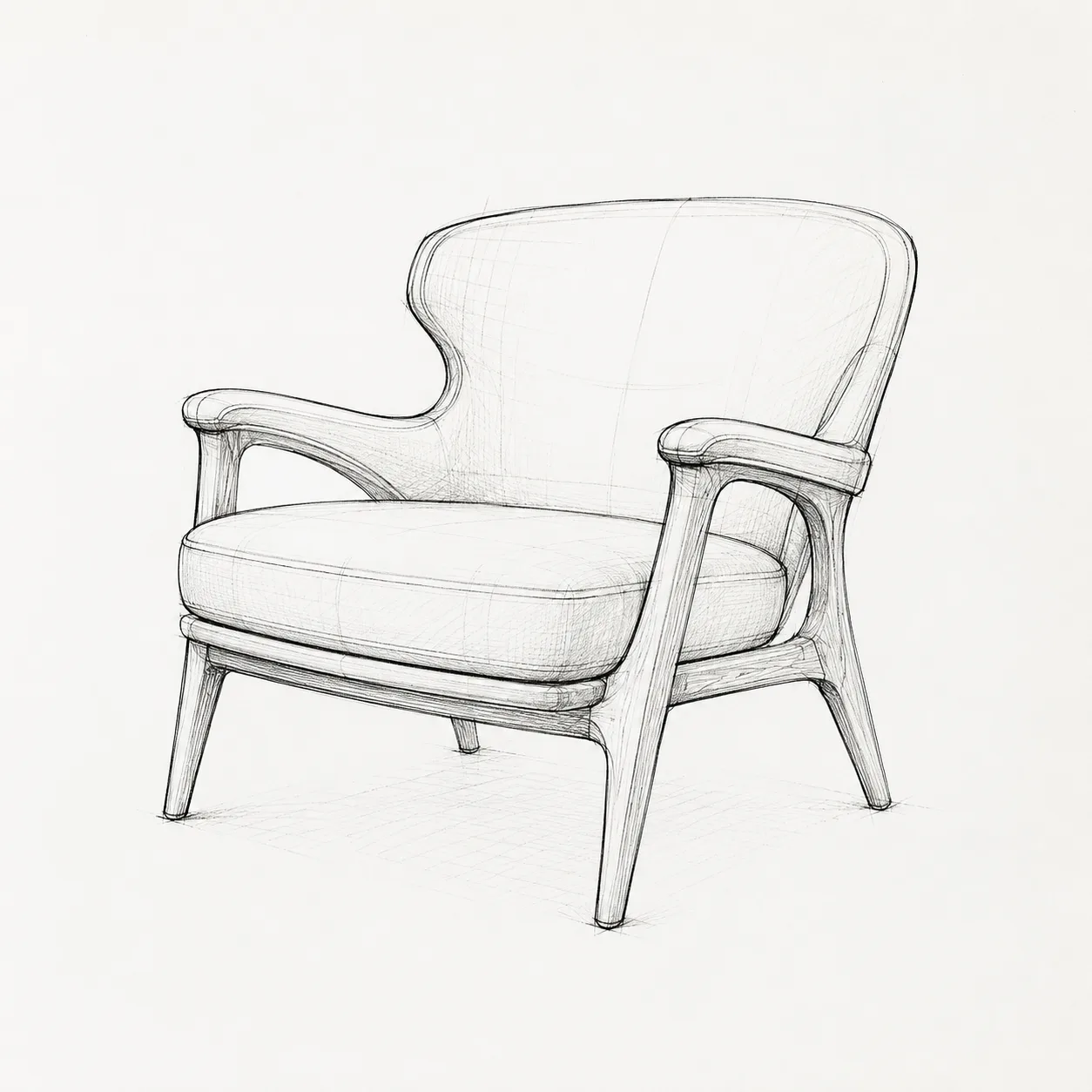
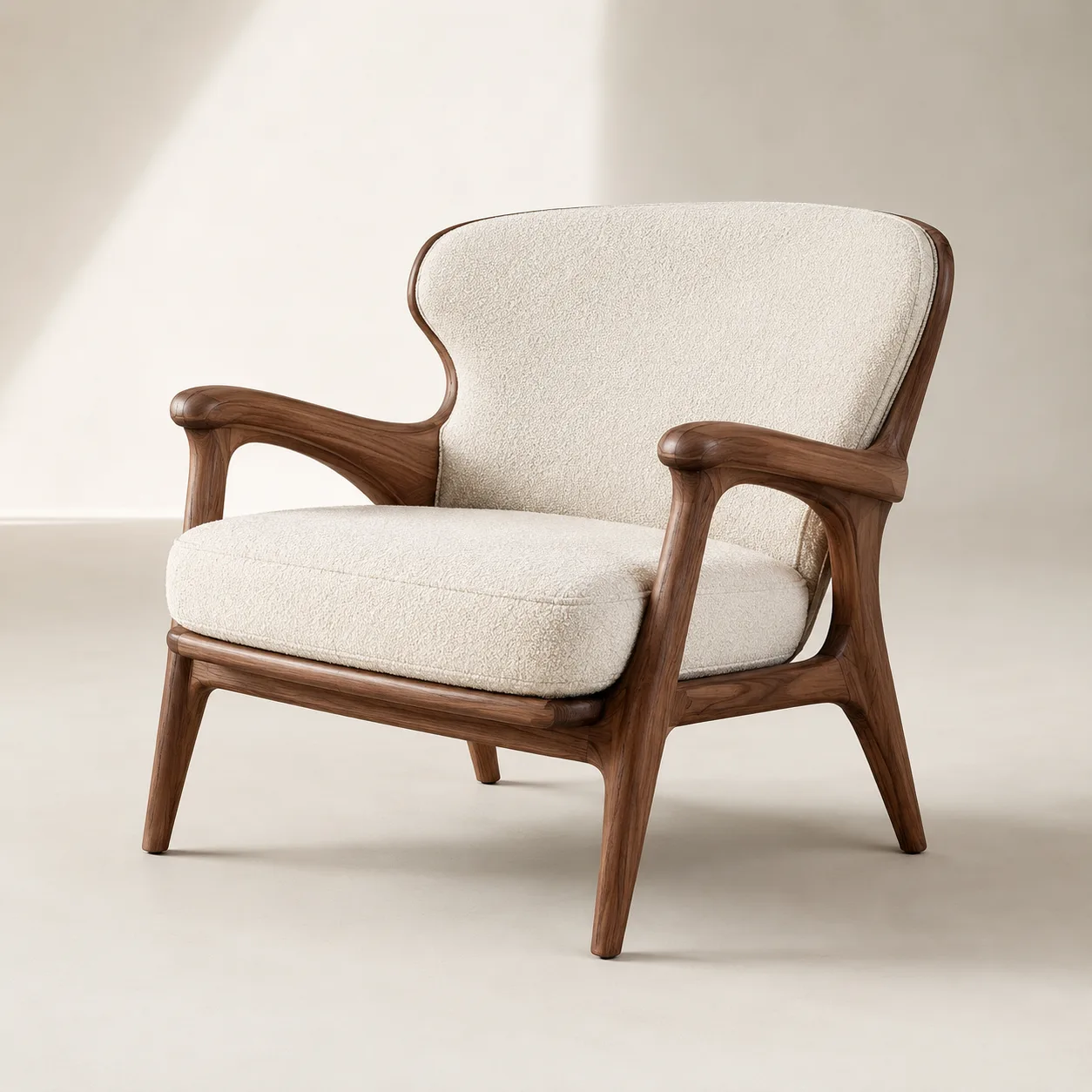
Upload a sketch and generate a realistic product image for a concept, catalog mockup, or design presentation while keeping the same shape and proportions.
Sketch to image AI, product concepts, furniture sketches, design mockups
"Turn this chair sketch into a realistic walnut and cream lounge chair product image. Keep the same silhouette, curved backrest, armrests, proportions, and four-leg structure."
Silhouette, curved backrest, armrests, proportions, and four-leg structure
- Sketch to image result
- Realistic product image
- Same product shape
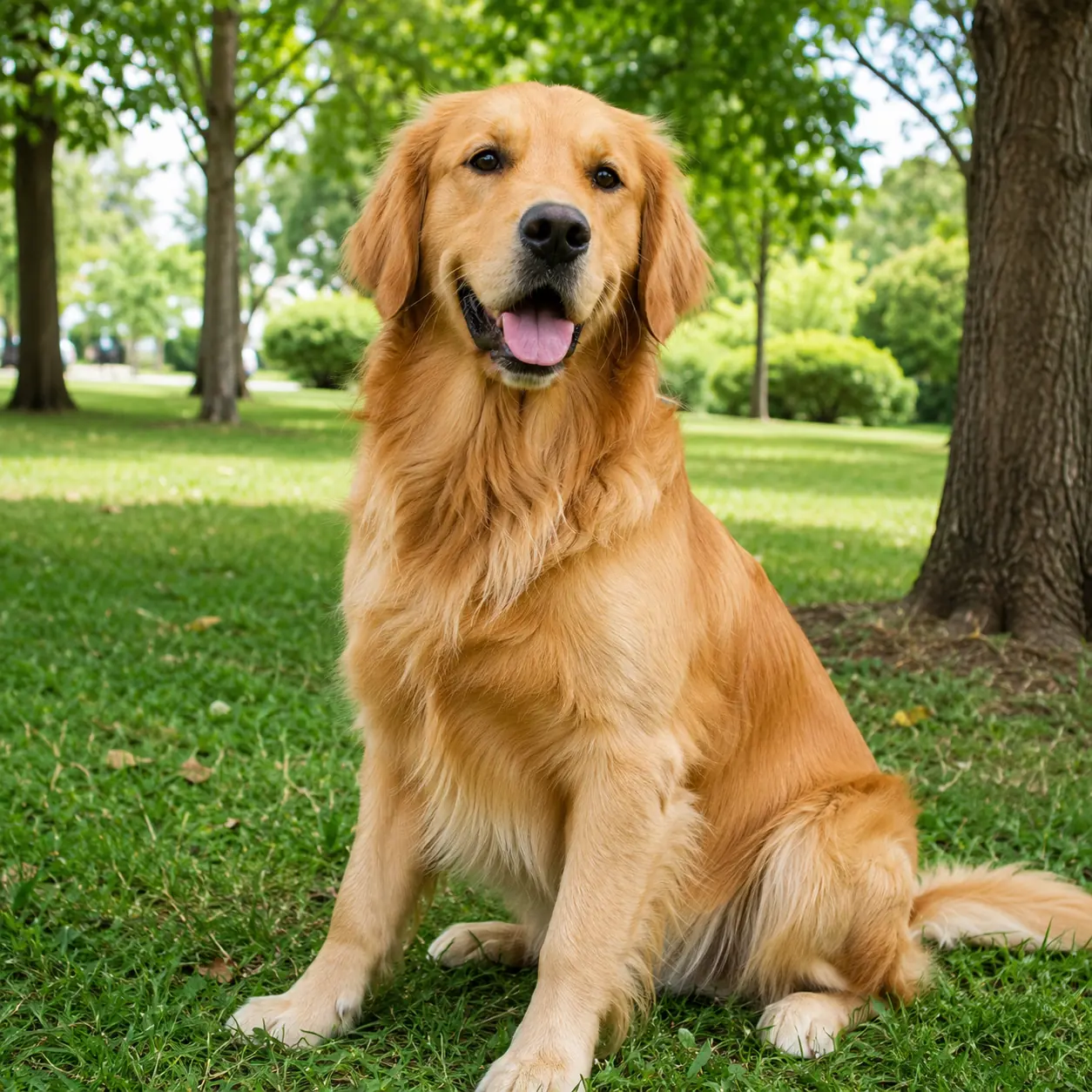
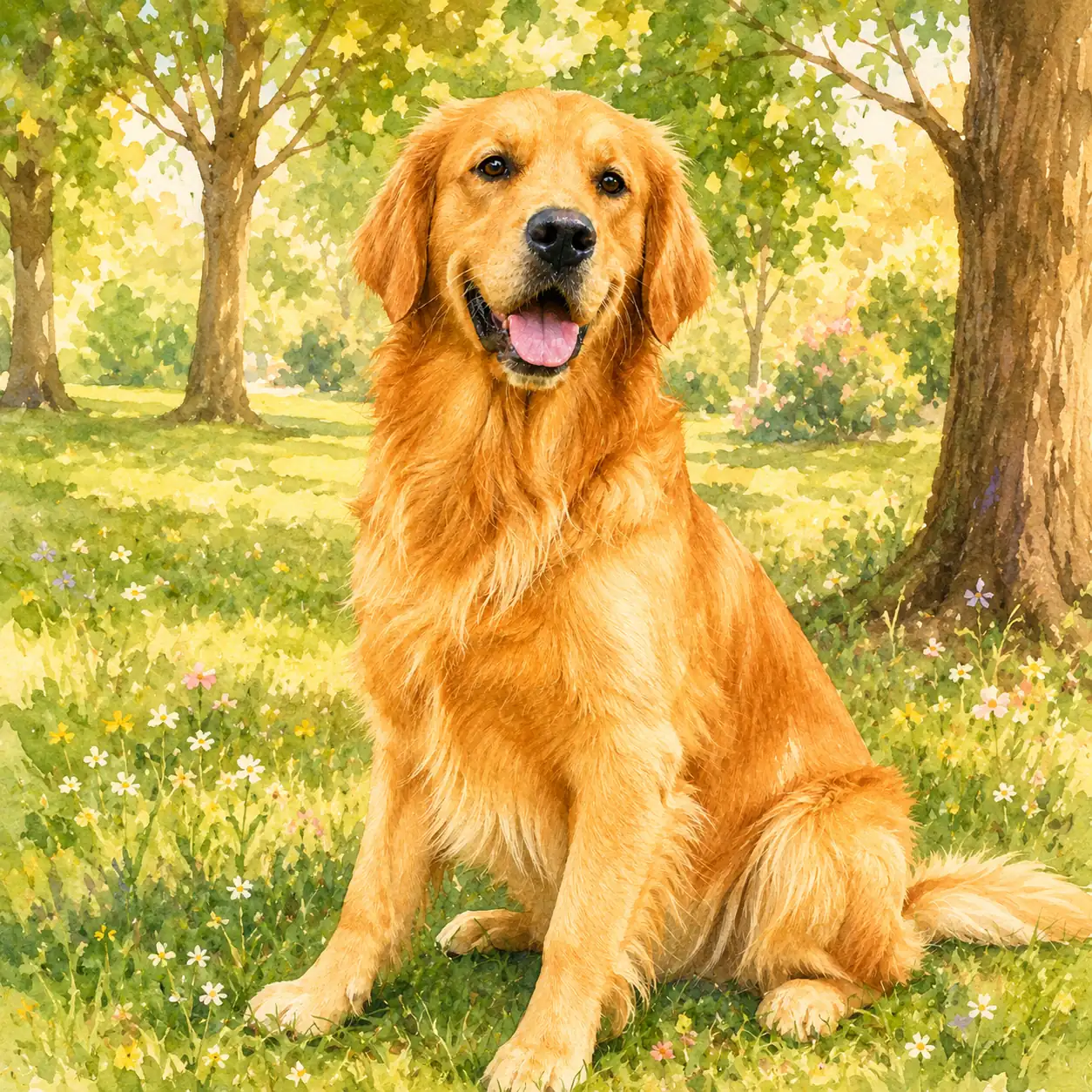
Turn a Pet Photo into an Illustration
Upload a dog or cat photo and create a custom pet portrait, pet illustration, or social post while keeping the same face, fur color, expression, and pose.
Pet portraits, dog photos, cat photos, custom pet illustrations
"Turn this golden retriever photo into a warm illustrated pet portrait in a flower garden. Keep the same face, fur color, expression, body proportions, and seated pose."
Face, fur color, expression, body proportions, and seated pose
- Pet portrait
- Pet photo illustration
- Same pet features
How to use an image to image AI generator
The workflow is simple: upload your image, write what should change, and generate a new version. Nano2Image works as an AI image to image generator for prompt-based photo edits, product variations, and reference image combinations.
Upload your image or photo
Start from a portrait, product photo, room, sketch, object, or scene. Clear subjects and good lighting usually give cleaner image-to-image results.
Describe the change
Write what should change and what should stay fixed. Mention the subject, background, style, lighting, composition, or product details you want preserved.
Generate and refine
Run the edit, compare the result with your original image, then adjust the prompt if you need a tighter style, cleaner background, or more stable subject.
Image to image AI use cases for photos, products, rooms, and sketches
Upload an image or photo, describe the change, and generate a new version while keeping the face, product details, room layout, or sketch structure you need.
Create profile photos and headshots from a portrait
Upload a portrait to make a profile photo, studio headshot, creator portrait, or background variation while keeping the same face and pose.
Keep unchanged
Keep the same face, hair, expression, pose, and camera framing.
Edit product photos for ads and listings
Upload a product photo and generate product image variations for ecommerce listings, ads, thumbnails, or marketplace images while keeping product details accurate.
Keep unchanged
Keep product shape, color, material, label, scale, and shadow direction unchanged.
Change the background of an image
Replace a plain, busy, or wrong background with a studio scene, outdoor setting, or brand-color backdrop while keeping the subject unchanged.
Keep unchanged
Only change the background; keep the person, product, object, crop, and lighting natural.
Turn sketches and reference images into realistic images
Upload a sketch, room photo, object photo, or reference image to create a realistic product image, room concept, or design idea.
Keep unchanged
Keep the original shape, room layout, camera angle, material notes, and main reference details.
Prompt tips for cleaner image-to-image edits
The best prompts do two jobs: they say what to change, and they protect the parts of the original image or photo that should remain stable.
Say what to change and what to keep
Use one sentence for the edit, then one sentence for what must stay unchanged. This reduces drift on faces, products, and compositions.
Example
"Replace the background with a warm studio set. Keep the person, pose, outfit, hair, face, and camera framing unchanged."
Use concrete visual terms
Name lighting, surface, material, color, angle, and style. Vague prompts like make it better usually create less predictable edits.
Example
"Use soft side lighting, a matte beige wall, natural contact shadow, and realistic product color."
Avoid stacking too many edits
One image-to-image generation should solve one main job. Run another pass when you need a second major change.
Example
"First change the background. Then run a second edit for color grading if the background result is stable."
Edit one photo or combine multiple image references
Start with one image when you want a direct edit. Add more images when you want the result to use details from a product, person, outfit, pose, or style reference.
Edit one image with a prompt
Upload one image or photo, describe what to change, and keep the details that matter. Best for background changes, style edits, product photos, and portraits.
Edit one imageCombine multiple image references
Upload two or more images when you want to combine a person, product, outfit, pose, or style reference into one new image.
Combine imagesImage to Image AI FAQ
What is image to image AI?
Can I generate an AI image from an uploaded image?
Can I edit one photo with AI?
Can image to image AI keep the same face?
Can I keep the same product in a new product photo?
Can I combine two images or photos?
What images work best for image to image AI?
Is Nano2Image a free image to image AI generator?
Upload a Photo and Edit It with AI
Change the background, style, product scene, or portrait while keeping the face, product, layout, or details you want to keep.
Start editing your image