Nano Banana Product Photo Prompts
Product photo prompt templates for clean e-commerce images: pure white background, studio lighting, realistic shadows, and clutter removal prompts.
These prompts help you create clean e-commerce product images (white background, studio lighting, realistic shadows). Start with "background to pure white" and add constraints to keep the product unchanged.
AI product photo styles
Two popular styles for product photography: clean e-commerce white backgrounds and Instagram-ready lifestyle scenes.
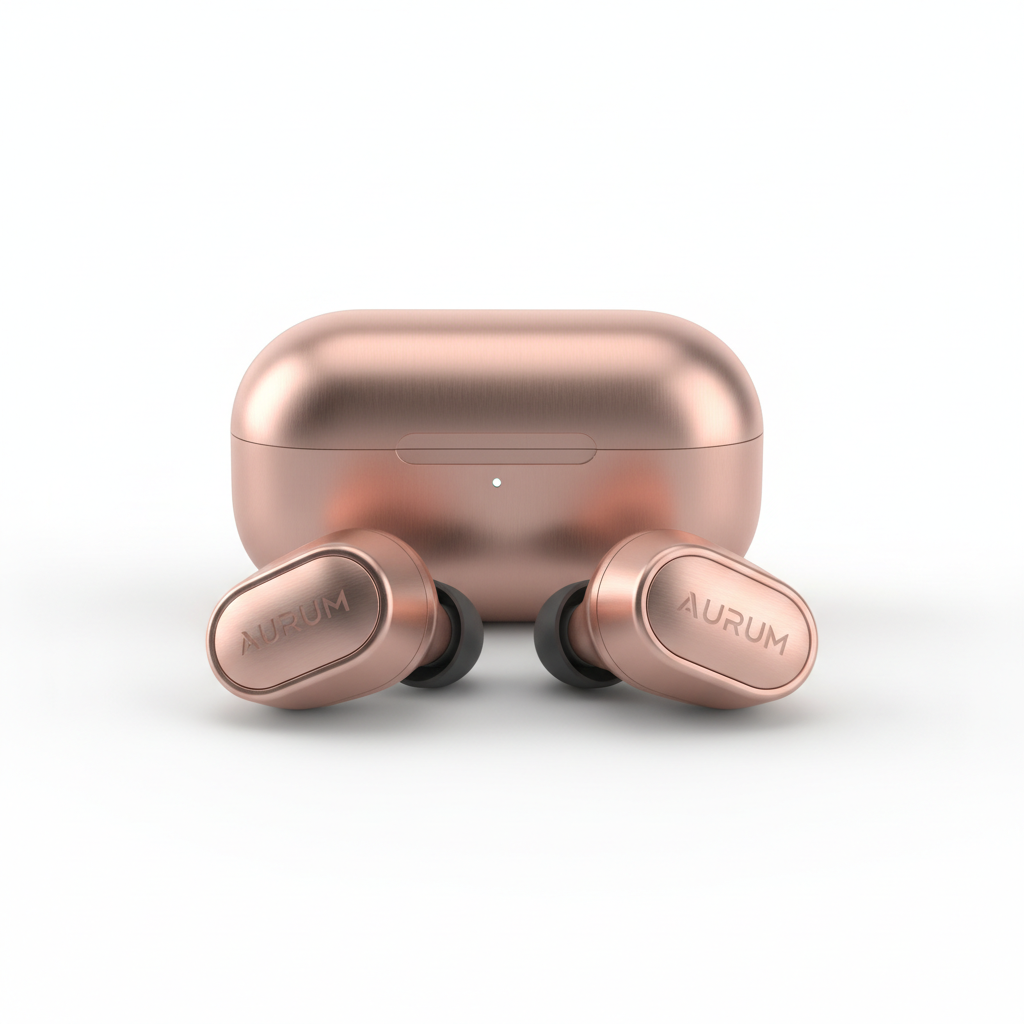
View prompt used →
Luxury wireless earbuds in rose gold finish on pure white seamless background, high-end product photography. Soft diffused lighting creating gentle reflections on the metallic surface. Subtle shadow beneath for depth. Premium e-commerce aesthetic, Apple-style minimalism. Ultra-sharp detail showing the premium texture and craftsmanship. Clean, sophisticated, aspirational.
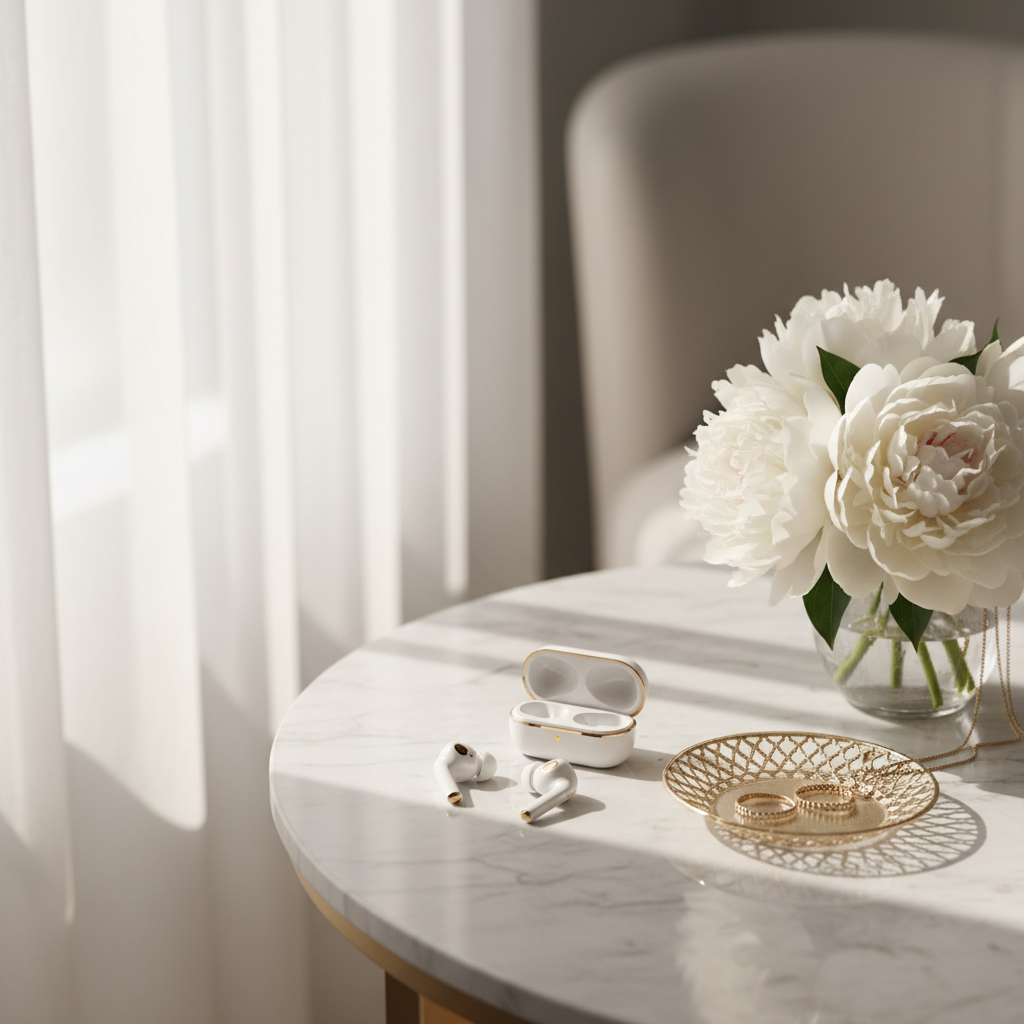
View prompt used →
Premium wireless earbuds elegantly placed on a white marble vanity table next to a delicate gold jewelry dish and fresh white peonies. Soft morning light streaming through sheer curtains. Luxury lifestyle flat lay aesthetic, Instagram-worthy styling. Shallow depth of field with beautiful bokeh. Warm, inviting, aspirational mood. Fashion blogger aesthetic.
Prompt templates (copy-paste)
1) Pure white background (standard)
Replace the background with pure white (#FFFFFF). Keep the product unchanged. Add a soft studio shadow under the product. Sharp details, clean e-commerce look, no text.
2) Premium studio lighting
Studio product photo with softbox lighting. Keep the product unchanged. Neutral background, realistic shadow, crisp details, no text.
3) Lifestyle background (keep product unchanged)
Place the product on a [scene] background. Keep the product unchanged. Match lighting and perspective. Realistic shadow, no text.
4) Remove clutter (cleanup)
Remove all background clutter and distractions. Keep the product unchanged. Clean backdrop, realistic shadow, sharp details, no text.
Tips
Related Resources
Frequently Asked Questions
Quick answers to common questions about product photo prompts
Use explicit constraints in your prompt: 'keep product unchanged', 'preserve all product details', 'maintain exact product appearance'. For products with logos or text, add 'preserve logo' and 'keep text legible'. The more specific you are about what should stay the same, the better the AI respects those elements.
Use this template: 'Replace the background with pure white (#FFFFFF). Keep the product unchanged. Add soft studio shadow for depth. Clean e-commerce look, no text, no extra objects.' The hex code (#FFFFFF) helps ensure true white. Adding a subtle shadow prevents the product from looking pasted.
Start with a clear, well-lit photo where the product is the main focus. Higher resolution (1024x1024+) preserves more detail. Avoid blurry images or photos where the product is partially obscured. Good lighting in the source makes AI editing easier—the AI doesn't need to guess details.
Describe the environment you want: 'Place this product on a marble kitchen counter, soft natural daylight from the left, shallow depth of field, keep product unchanged.' Be specific about the setting, lighting direction, and atmosphere. Include constraints to preserve product details.
The AI might not have enough constraints. Add multiple preservation phrases: 'keep exact product shape', 'preserve colors and materials', 'no modifications to product'. If specific features are changing, call them out: 'keep the red button unchanged', 'preserve the metal finish'.
For clean e-commerce: 'soft studio lighting, even illumination, subtle shadows'. For lifestyle: 'natural daylight, golden hour warmth'. For dramatic effect: 'product lighting with dark background, rim light'. Always specify lighting direction if it matters: 'light from the left'.
Use the same prompt template for all products in your catalog. Specify exact background color, lighting style, and camera angle. Save your working prompt and reuse it. Consistency comes from using identical constraints and style keywords across all product photos.
Yes, describe the props you want: 'Place the coffee mug next to fresh coffee beans, steam rising, rustic wooden table'. Be specific about what should be added. Keep 'product unchanged' constraint to ensure the main product stays intact while the scene is built around it.
Describe what to remove: 'Remove the reflection on the surface, keep product unchanged'. For multiple issues: 'Remove background clutter, clean up reflections, maintain product details'. The AI can handle specific removal requests as long as you describe them clearly.
Yes! You get 3 free credits after signup — just open the generator and try it. Want more? Sign up (email only, no credit card) to receive 3 free credits. That's 3 free credits total to test product photo templates before upgrading.
Yes, product photos generated with white background templates meet standard e-commerce requirements. Output is high-quality PNG format. For specific marketplace requirements (exact dimensions, file size), you may need to resize the output in a photo editor after generation.
API access is not offered at this time. Nano Banana is available through the web interface only. For bulk product photo editing, you'll need to process images individually through the web interface.