Nano Banana 3D Figurine Prompts
Popular 3D figurine / toy-style prompt templates. Preserve identity and pose while changing style with strong constraints and clean studio lighting.
These prompts generate the popular 3D figurine / toy-like render style. The most important constraint is preserving identity/pose while changing style.
AI 3D figurine examples
Transform any photo into a collectible-style 3D figurine. See the before and after results.
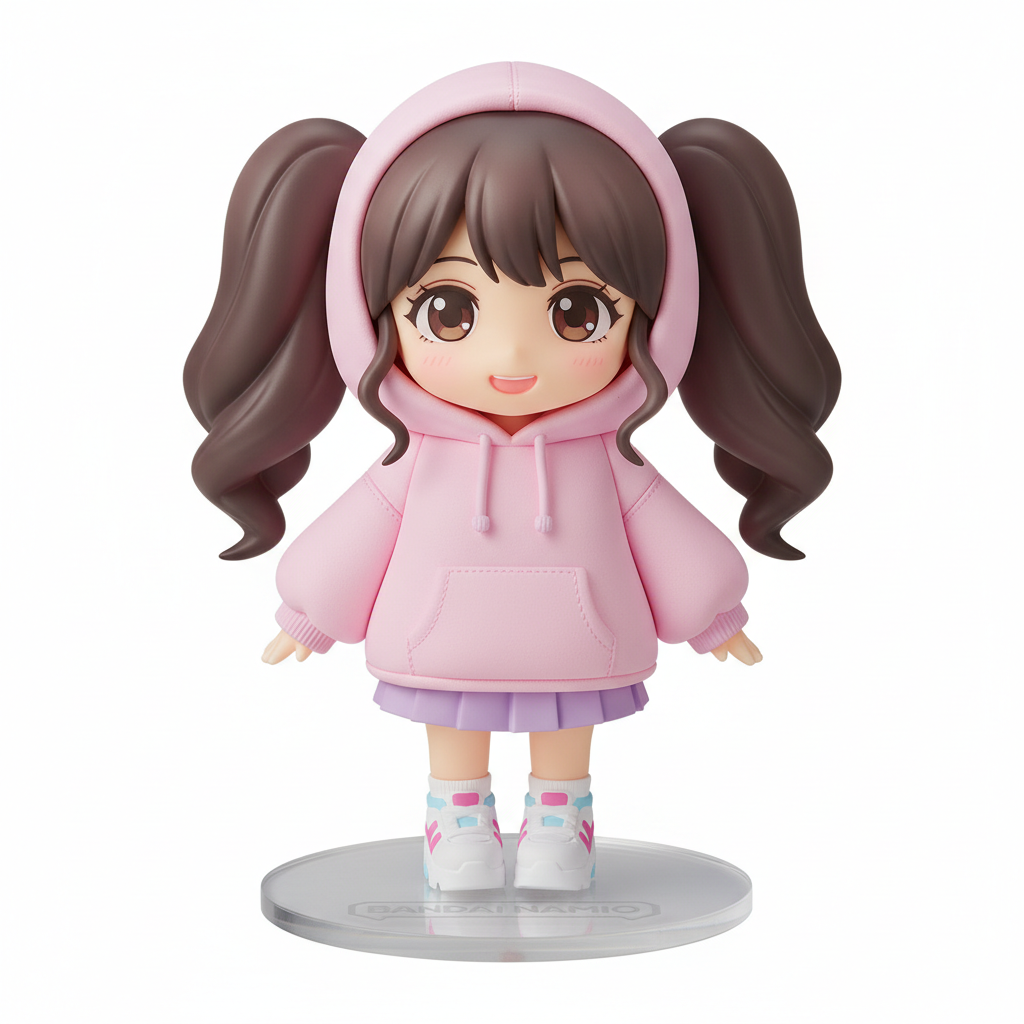
View prompt used →
An adorable 3D chibi figurine of a stylish young woman with big expressive eyes, wearing a trendy oversized pink hoodie, mini skirt, and platform sneakers. Bandai Namco collectible figure aesthetic with smooth vinyl texture. Standing on a circular clear acrylic display base. Soft studio lighting with subtle rim light. Kawaii Japanese toy style, highly detailed, pastel color palette. Clean white background.
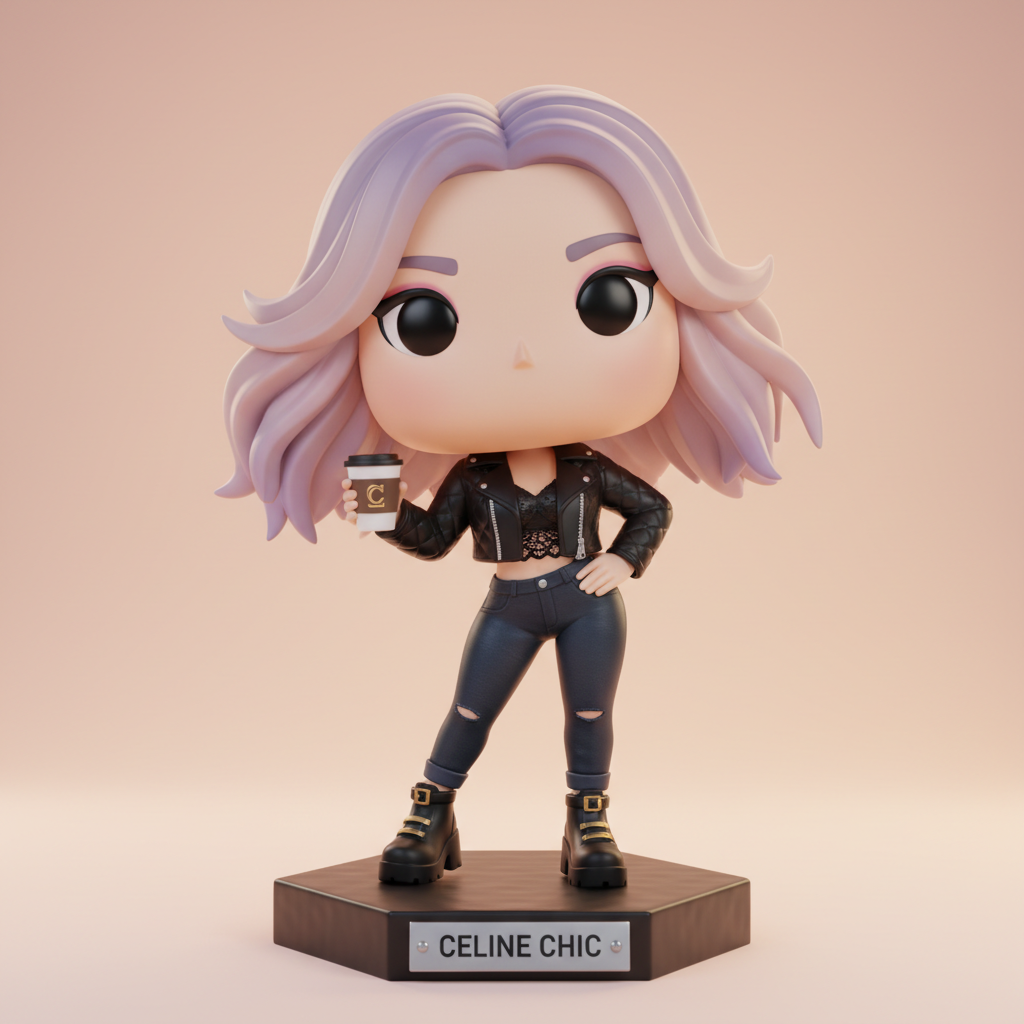
View prompt used →
A cute 3D collectible figurine of a fashionable young woman in dynamic pose, wearing a chic black leather jacket, crop top, and high-waisted jeans. Funko Pop meets high-fashion aesthetic, stylized proportions with oversized head and small body. Holding a designer coffee cup accessory. Premium collectible quality with metallic accents. Displayed on hexagonal base with nameplate. Soft gradient background in warm peach tones.
Prompt templates (copy-paste)
1Classic 3D figurine
Turn the subject into a high-quality 3D figurine. Preserve identity and pose. Clean studio lighting, crisp details, toy-like finish, neutral background, no text.
2Collectible toy box concept
A high-quality 3D figurine of the subject, standing on a simple base. Clean studio lighting, realistic plastic texture, crisp edges, neutral background, no text.
3Cute chibi figurine (controlled)
Create a cute chibi-style 3D figurine version. Preserve identity cues, keep pose similar. Soft lighting, clean background, no text.
4Premium render (more realistic)
High-end 3D render of the subject as a collectible figurine. Preserve identity, sharp details, realistic materials, studio lighting, no text.
Tips
If identity drifts: add "keep the same person/subject" and "preserve facial features".
If it adds extra objects: add "minimalist, no extra items".
Frequently Asked Questions
Quick answers to common questions about Nano Banana 3D Figurine Prompts
Use multiple layered constraints: 'preserve identity', 'maintain exact facial features', 'keep same pose and body position', 'preserve outfit colors and style'. For best results, also specify 'same hairstyle' and 'accurate skin tone'. The more specific you are about what to preserve, the more accurately the AI maintains those elements during the 3D transformation.
AI sometimes adds elements to 'complete' a scene. Prevent this with explicit negative constraints: 'no extra items', 'minimalist background', 'no additional accessories', 'clean simple base'. If you want specific accessories, list them exactly and add 'only these items, nothing else' to prevent unwanted additions.
Clear, well-lit photos work best. Full-body shots with visible pose give the AI more to work with. Avoid photos with complex backgrounds or multiple people. The face should be clearly visible and in focus. Higher resolution (1024x1024+) captures more detail for the 3D transformation.
Yes, specify the style clearly in your prompt. For action figures: 'realistic proportions, detailed sculpt, collectible action figure, articulated joints'. For chibi: 'chibi proportions, oversized head, large eyes, cute stylized'. For Funko-style: 'vinyl collectible, blocky body, Funko Pop proportions'. Each style has different conventions the AI recognizes.
Describe exactly what you want: 'simple black round base' or 'display box packaging with character name'. For packaging mockups: 'blister pack display, product photography style'. For clean figurine only: 'no base, white background, floating pose'. The AI responds well to specific packaging and presentation instructions.
Adjust the style keywords. For more realistic: 'detailed 3D render, realistic texture, professional sculpt quality'. For more stylized: 'stylized 3D art, clean surfaces, bold colors'. Add material descriptors like 'matte plastic finish' or 'glossy vinyl surface' to fine-tune the aesthetic. Experiment with different combinations.
Yes, but it's more challenging. For group figurines: 'two characters on shared base, both facing camera, matching style'. Describe each person's position clearly. For best results, use photos where both subjects are clearly visible. Single-subject figurines typically produce more consistent results.
Use identical prompt templates for all figurines in a set. Specify exact lighting: 'studio lighting, soft shadows, consistent direction from left'. Specify exact materials: 'matte plastic finish, consistent paint application'. Save your working prompt and reuse the same style keywords for each generation.
Small text, intricate patterns, and subtle color gradients often simplify. Preserve important details by calling them out explicitly: 'preserve logo on shirt', 'keep striped pattern', 'maintain glasses shape'. The AI prioritizes explicitly mentioned details. For complex outfits, describe key elements individually.
Yes! You get 3 free credits after signup — just open the generator and try it. Want more? Sign up (email only, no credit card) to receive 3 free credits. That's 3 free credits total to experiment with different figurine styles.
The prompt library includes additional 3D templates. Check the best prompts section for popular community favorites. The prompt guide explains how to modify templates for your specific needs. Start with templates, then customize based on what works for your source images.
API access is not offered at this time. Nano Banana is available through the web interface only. For bulk 3D figurine generation, you'll need to process images individually through the web interface.