Practice prompts in the current tools
This guide explains prompt structure. For the current product flow, use a focused tool page and test one editing task at a time.
Image to Image AI Generator
Use the current image as a reference and describe the edit you want.
Open toolAI Background Changer
Change a product, portrait, or brand background with a prompt.
Open toolTransparent Background Maker
Create clean PNG cutouts for products, portraits, logos, and graphics.
Open toolAI Photo Enhancer
Sharpen and enhance photos for listings, profiles, publishing, and print.
Open toolA good Nano Banana prompt is specific, constraint-driven, and iterative. The goal is to reduce wasted attempts by changing one variable at a time. Most beginners fail because they write vague prompts or try to change everything at once.
Understanding prompt skill levels
Prompt writing is a learnable skill. Here's how to progress from beginner to advanced:
Beginner
Focus on the 3 core elements: subject, action, and one style keyword.
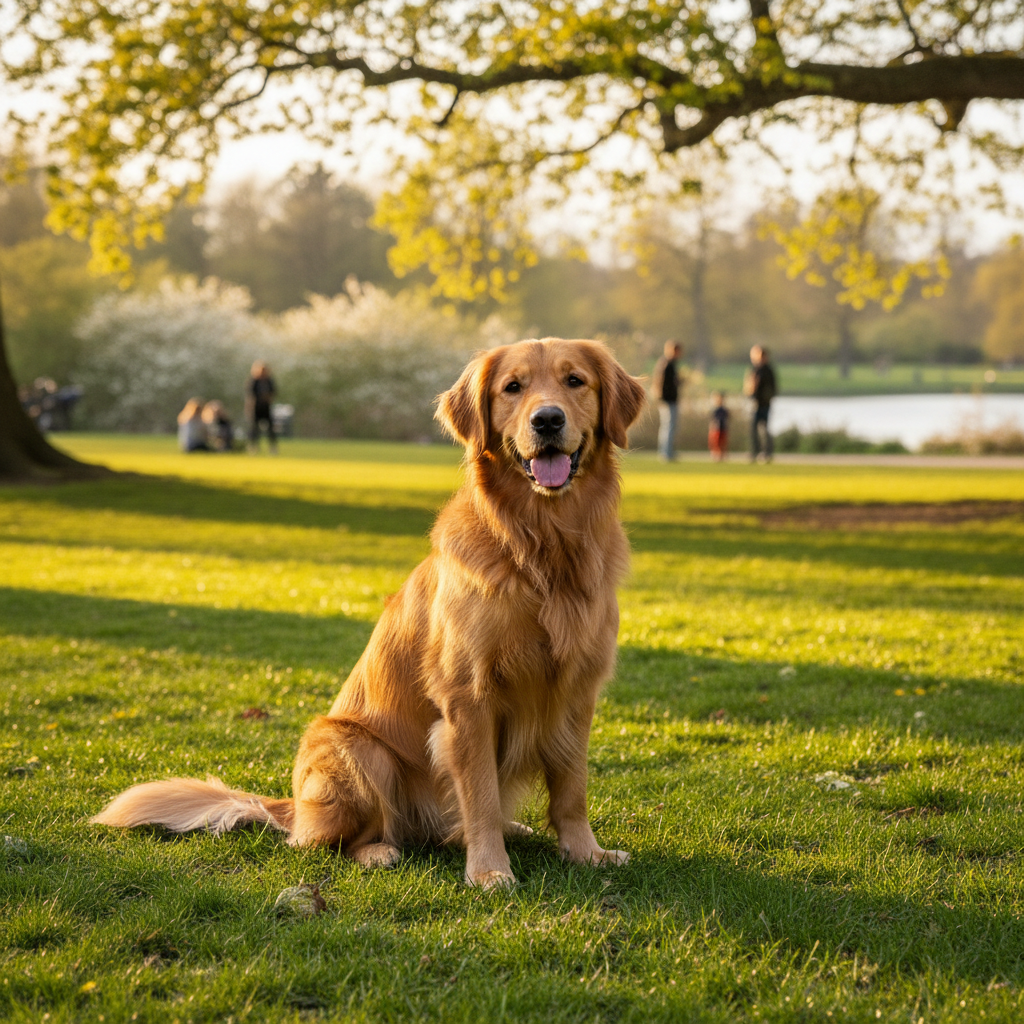
A golden retriever, sitting in a park, warm sunlight
Intermediate
Add constraints and negative instructions to control unwanted outputs.
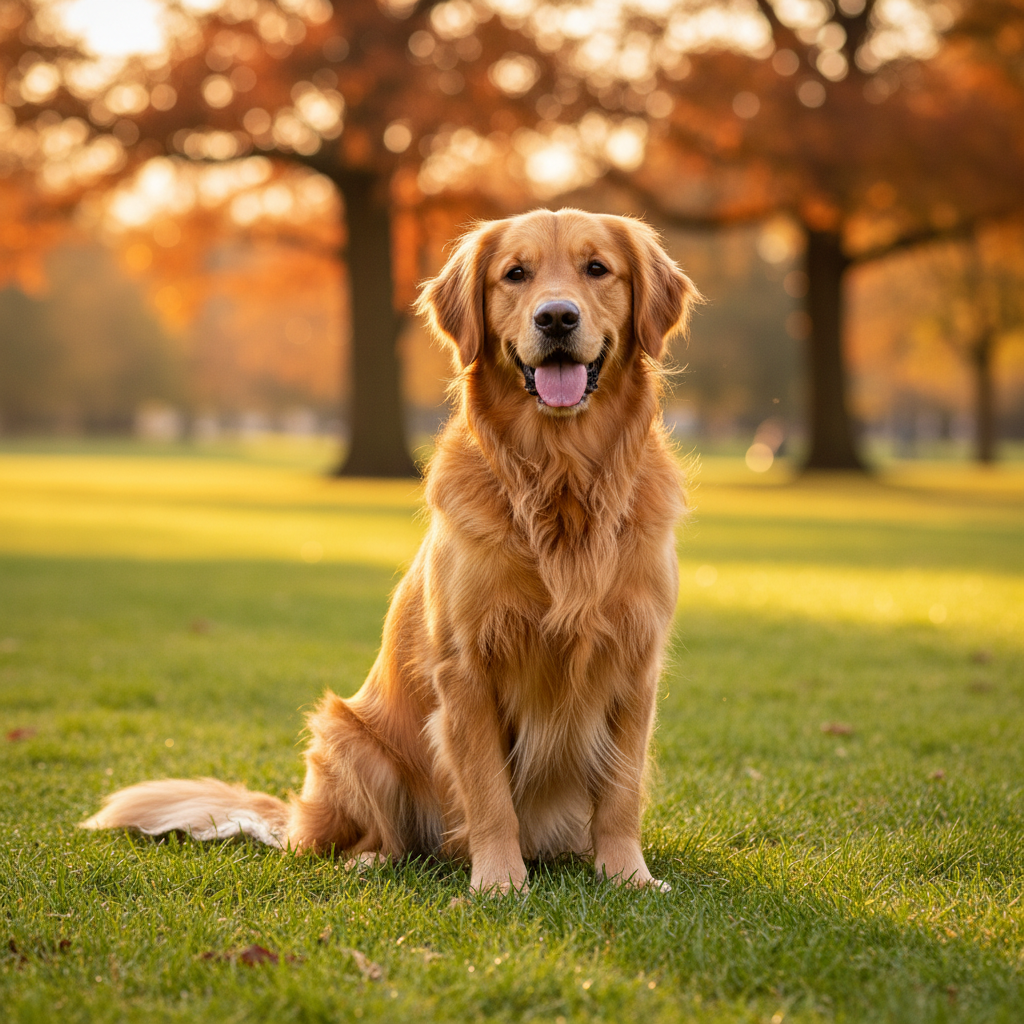
A golden retriever sitting in a park, warm afternoon sunlight, shallow depth of field, no people, no text
Advanced
Combine techniques: weighted terms, camera angles, and precise lighting.
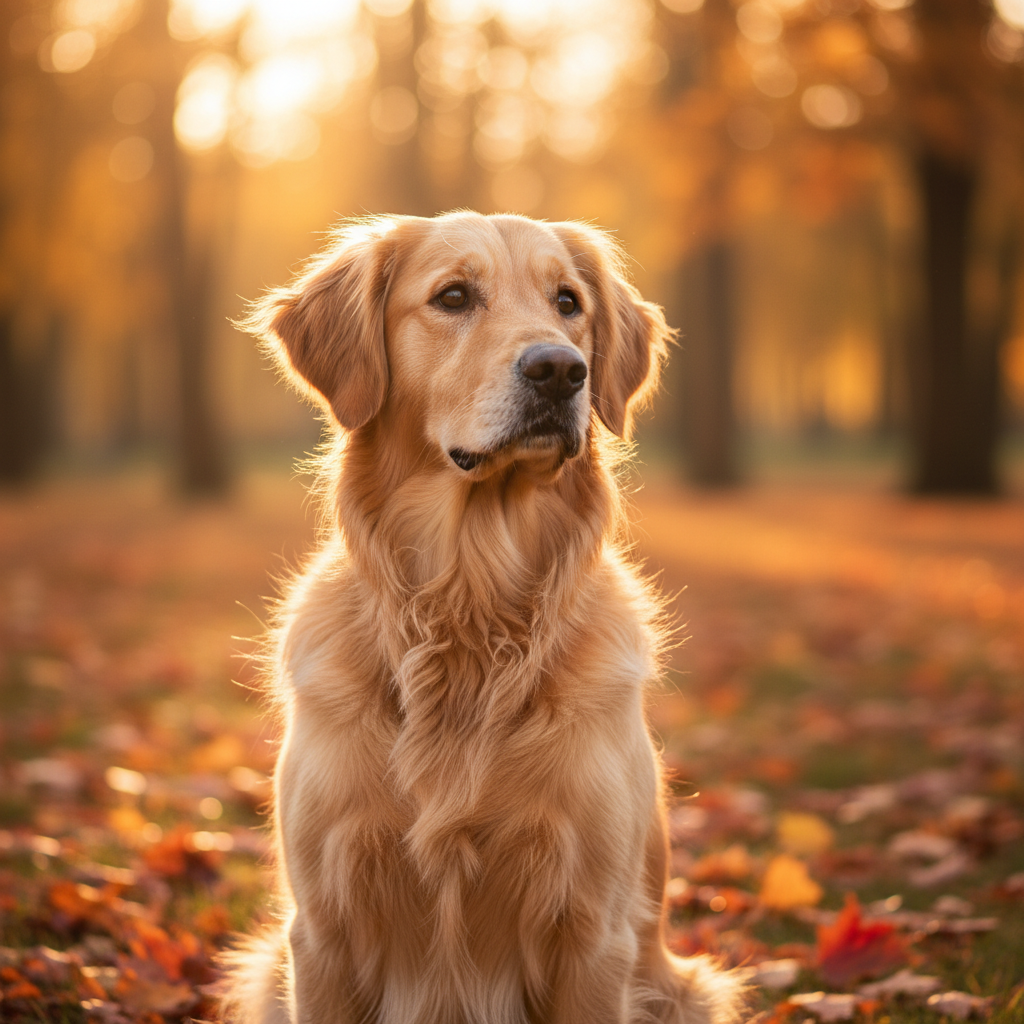
Golden retriever, sitting alert, autumn park, golden hour backlight, 85mm lens, bokeh, eye-level shot, no humans, no watermark
The 5-step prompt structure that works
This structure has been tested across thousands of generations. Follow it to reduce trial-and-error and get consistent results.
Define the subject
What is it? Who is it? Be specific in one sentence. The more concrete your subject, the better the output.
Define the objective
What do you want to achieve? This determines how the AI interprets your request.
- Generate new: Create from scratch based on description
- Edit existing: Modify uploaded image while preserving core elements
- Create variation: Generate alternatives of existing image
Add constraints (most important)
Constraints prevent the AI from making unwanted changes. This is where most prompts fail.
Pro tip: When editing portraits, always include "keep the same person" and "preserve facial features" to prevent identity changes.
Add style and lighting
Style and lighting dramatically affect the mood and quality of your output.
Style keywords:
Lighting keywords:
Iterate with discipline
Don't rewrite everything when results aren't perfect. Scientific iteration is key.
- Change only ONE variable per attempt
- Keep what works, remove what doesn't
- Save successful prompts as templates
Complete prompt examples
Here are tested prompts that follow the 5-step structure. Copy and customize them for your needs.
Professional Headshot Enhancement
Perfect for LinkedIn profiles, company websites, and professional bios. Enhances existing photo while maintaining identity.
Professional headshot, soft studio lighting, neutral gray background, keep the same person, preserve facial features, natural skin texture with subtle retouch, sharp eyes, confident expression, head and shoulders framing, no heavy filters, no text
Product on White Background
Ideal for Amazon listings, Shopify stores, and product catalogs. Creates clean, professional product images.
[Product name] on pure white background, studio product photography, soft even lighting from multiple angles, sharp focus on product details, no shadows, no reflections, e-commerce ready, centered composition, high detail
3D Figurine Style Portrait
Great for avatars, profile pictures, and creative personal branding. Transforms photos into charming 3D characters.
3D rendered figurine of [subject], Pixar-style character, smooth plastic texture, pastel color palette, simple geometric background, cute proportions with slightly oversized head, friendly expression, soft ambient occlusion lighting, no text, no watermark
Cinematic Photo Enhancement
Transforms casual photos into movie-like stills. Perfect for social media and creative portfolios.
Cinematic color grading, 35mm film look, subtle grain, teal and orange color palette, shallow depth of field, keep subject unchanged, preserve original composition, enhanced contrast, atmospheric lighting, no cropping
Lifestyle Product Scene
Creates aspirational product imagery for social media marketing and brand storytelling.
[Product] in lifestyle setting, natural daylight through window, minimalist Scandinavian interior, wooden table surface, subtle props that complement product, shallow depth of field on product, warm color temperature, no text overlay
Using negative prompts effectively
Negative prompts tell the AI what to avoid. They're essential for preventing common problems.
Quality Issues
no blurryno low qualityno pixelatedno noisyno overexposedno underexposedUnwanted Elements
no textno watermarkno logono signatureno borderno framePortrait Issues
no extra fingersno distorted faceno unnatural poseno plastic skinno dead eyesComposition Issues
no croppedno cut offno bad framingno tiltedno cluttered backgroundCommon prompt mistakes to avoid
The AI gets confused with 10+ different directions. Start simple, add complexity gradually.
"Photorealistic anime style" or "minimalist with lots of detail" creates confusion. Pick one direction.
When editing portraits, always include "keep the same person" or the AI may change facial features.
AI image generators struggle with text. Add text in post-processing with design tools instead.
"Make it better" or "more professional" doesn't give the AI enough to work with. Be specific about what "better" means.
Change one variable at a time. If lighting failed, fix only the lighting keywords.
Advanced prompt techniques
Prompt Templates
Create reusable templates with placeholders. This ensures consistency across multiple generations.
[SUBJECT] in [SETTING], [STYLE] photography, [LIGHTING], [CONSTRAINTS]
A/B Testing Your Prompts
When optimizing prompts, test systematically:
- Keep a base prompt that works reasonably well
- Create a variation changing only one element
- Generate 2-3 images with each version
- Compare results and keep the winner
- Repeat with next element
Camera and Lens Terms
Photography terms can dramatically change output:
Ready to Practice?
Now that you understand the structure, explore our curated templates or try them directly:
Frequently Asked Questions
Quick answers to common questions about writing effective Nano Banana prompts
A good prompt has three qualities: specificity (clearly describe your subject), constraints (tell the AI what NOT to do), and iteration-friendly structure (easy to modify one element at a time). The best prompts are detailed enough to guide the AI but not so complex that they create conflicts.
Most effective prompts are 30-80 words. Under 20 words is usually too vague and gives unpredictable results. Over 100 words often creates conflicts between instructions. Start with a medium-length prompt and adjust based on results.
Essential constraints include: 'keep subject unchanged' (for edits), 'no text', 'no watermark', 'preserve composition'. For portraits, add 'keep the same person' and 'natural skin texture'. The specific constraints depend on your use case, but always include at least 2-3.
Change only ONE variable at a time. If the lighting is wrong, adjust only lighting keywords. If the composition failed, adjust only composition terms. Keep everything else stable. This systematic approach helps you identify what works and what doesn't.
Generally, no. Conflicting styles like 'photorealistic anime' or 'minimalist with lots of detail' confuse the AI. Pick one primary style direction. If you want to blend styles, be very specific about which elements should have which style.
This happens when you don't include identity preservation constraints. Always add 'keep the same person', 'preserve facial features', and 'maintain identity' when editing portraits. These phrases tell the AI to prioritize keeping the original face.
Negative prompts tell the AI what to avoid: 'no blurry', 'no text', 'no extra fingers'. Use them when you consistently get unwanted elements in outputs. They're especially useful for preventing common AI artifacts like distorted hands or unwanted text.
Create a template prompt and save it. Use the same base structure, lighting, and style keywords. Only change the subject-specific details. This ensures visual consistency across a series of images for your project.
AI models sometimes add text unprompted, especially with product or poster-style compositions. Always include 'no text', 'no words', 'no letters' in your constraints. If text still appears, add 'clean image without typography'.
Photography terms significantly impact output. '85mm lens' creates portrait-style compression. '35mm' gives environmental context. 'macro' produces extreme close-ups. 'f/1.4' creates dreamy bokeh. Use these terms to control composition and depth of field.
Check our Best Prompts page for curated copy-paste templates. We have specialized collections for headshots, product photos, 3D figurines, and more. Each template follows the 5-step structure and includes tested constraints.
API access is not offered at this time. Nano Banana is available through the web interface only. You get 3 free credits after signup, plus 3 more after signing up (no credit card required).